Everything an exam goes through

It starts in a question bank. From there, each exam is an evaluation that moves through stages: prepare, grade, grades and analysis.

Question banks

A question editor with everything a bank needs

  • Each question as a form, and beside it the same question as the bank's text format writes it: the format is learnt by looking at it.
  • Every question is checked as you type, by the same reader that builds the exams.
  • Multiple-choice and open-ended questions, with lines to answer on and a model answer that is never printed.
  • Blocks: a case and a picture shared by several questions.
  • Fixed order where it matters, so “all of the above” stays last.
  • Per question: learning outcome, cognitive level, concept and variant, points, estimated difficulty and status (pilot, active, retired).
  • Import from text, Excel or CSV. Every change is saved as you make it and can be undone. Export a bank to share it.

Pro Open-ended questions and per-question details are part of Pro.
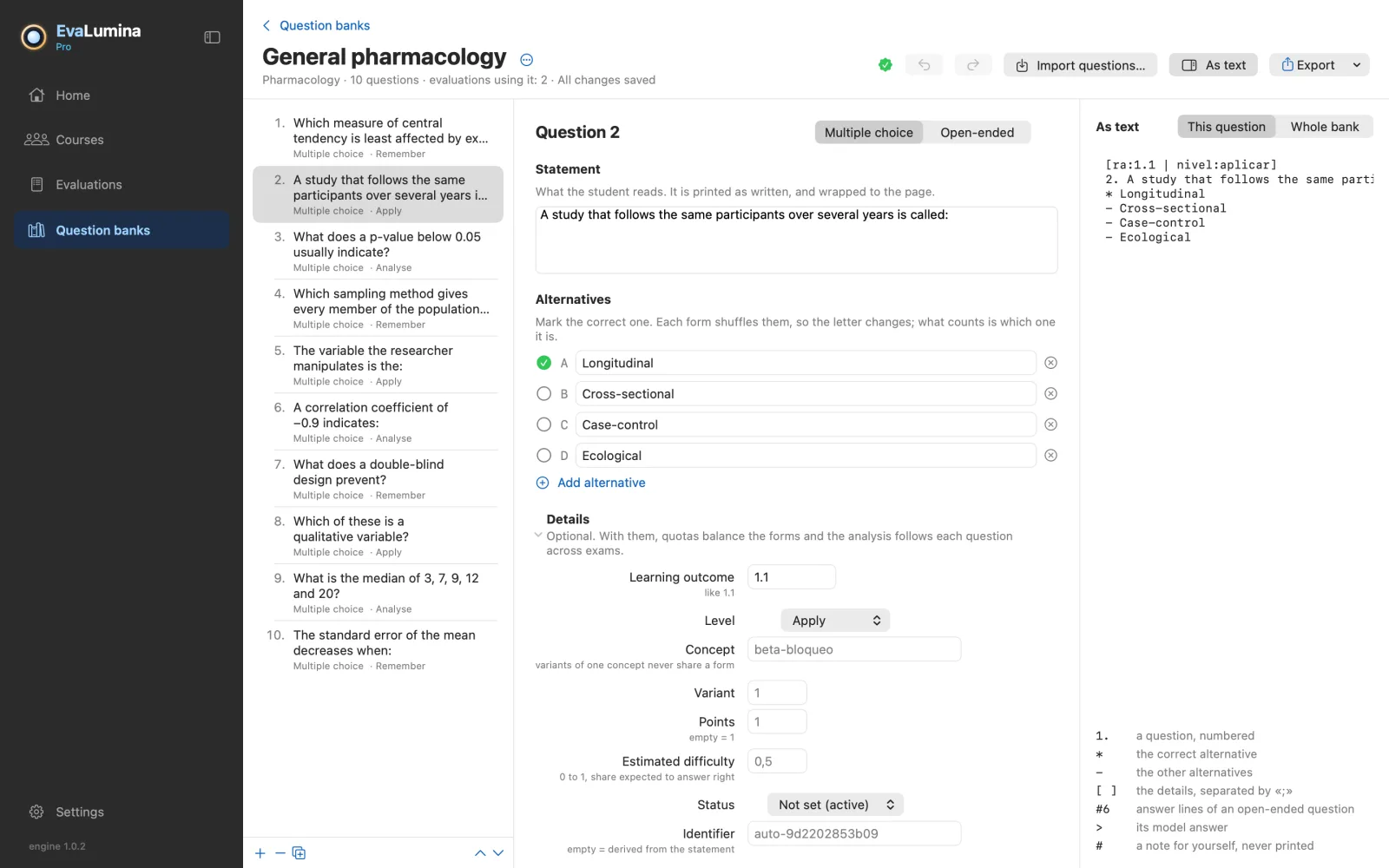
The question bank editor: the list of questions, one open as a form, and its text format beside it

Prepare

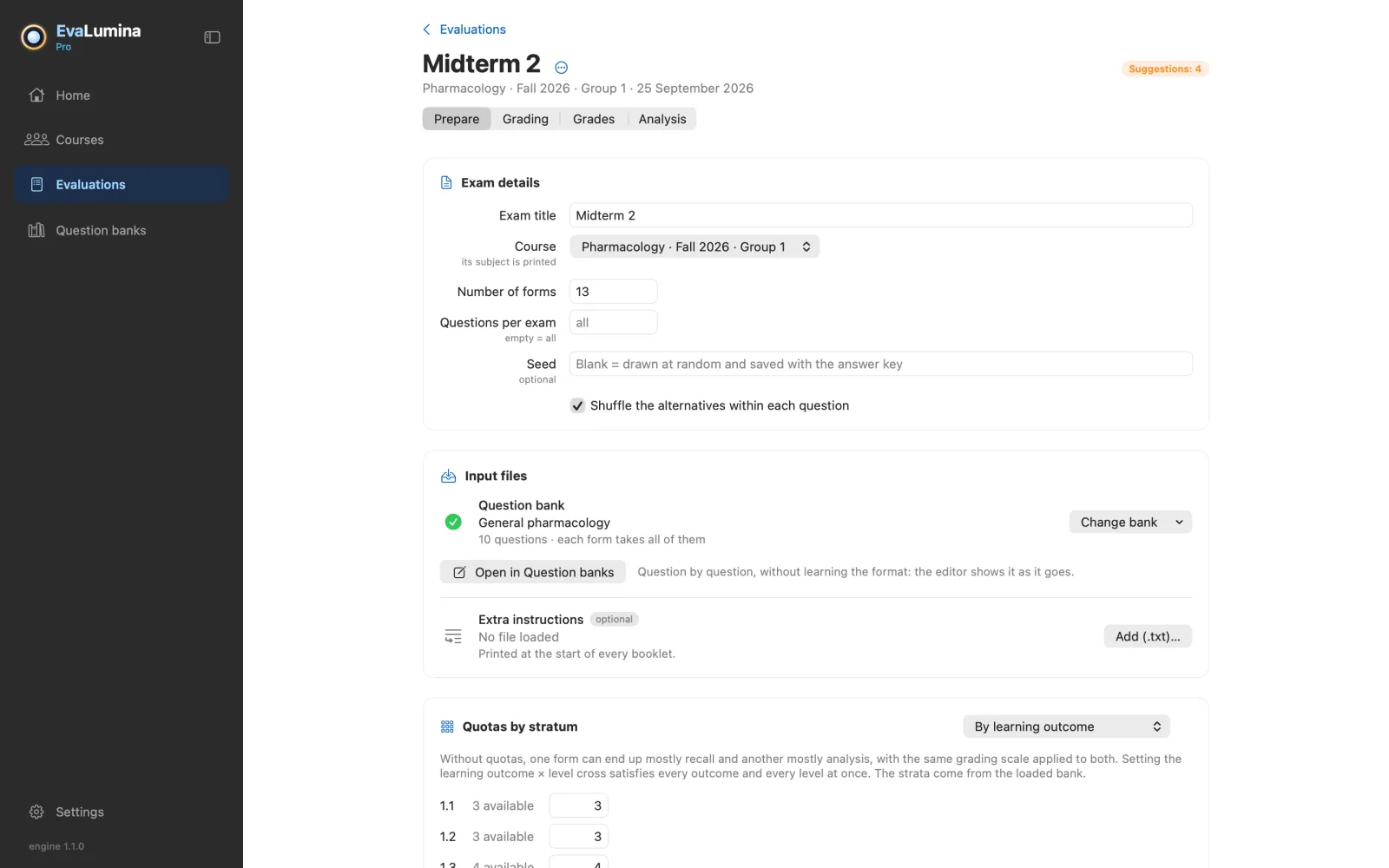
One form for every student

  • Questions and alternatives shuffled in every form: copying from a neighbour stops working.
  • Variants of the same concept never land on the same form, and every form adds up to the same score.
  • PDF booklets, an encrypted answer key and an answer sheet, ready to print.
  • The seed is stored with the key, so the same batch can be rebuilt to reprint a lost form.
Preparing an evaluation: exam details, the question bank and quotas by stratum

Grade

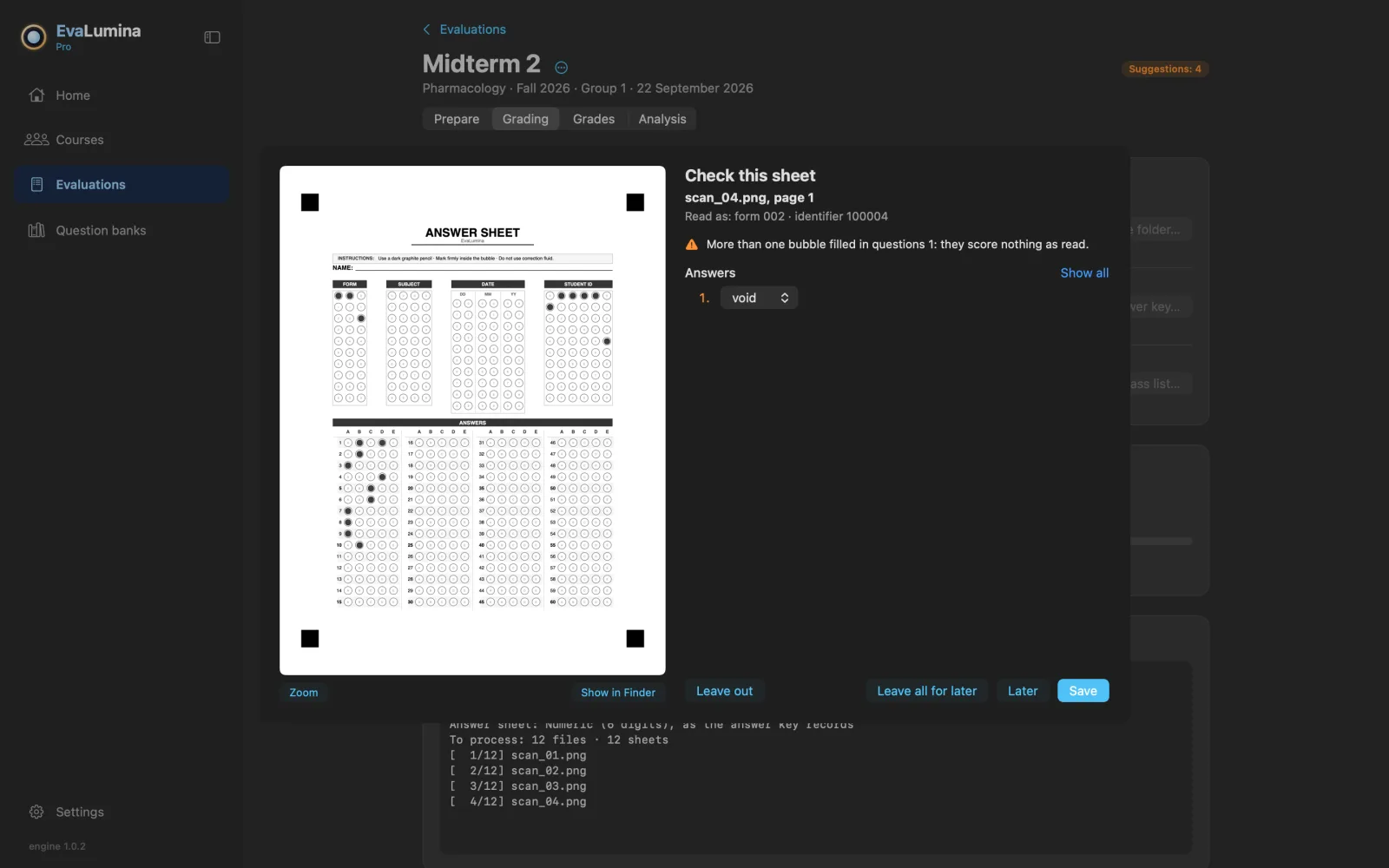
When a sheet is in doubt, you decide

  • Any scanner or multifunction printer: PDF, JPG or PNG.
  • Copes with slightly skewed sheets, faint photocopies and light marks.
  • A sheet it can't read with confidence is shown to you and never guessed at.
Grading stopped on a doubtful sheet, with the scan beside the answers in doubt

Grades

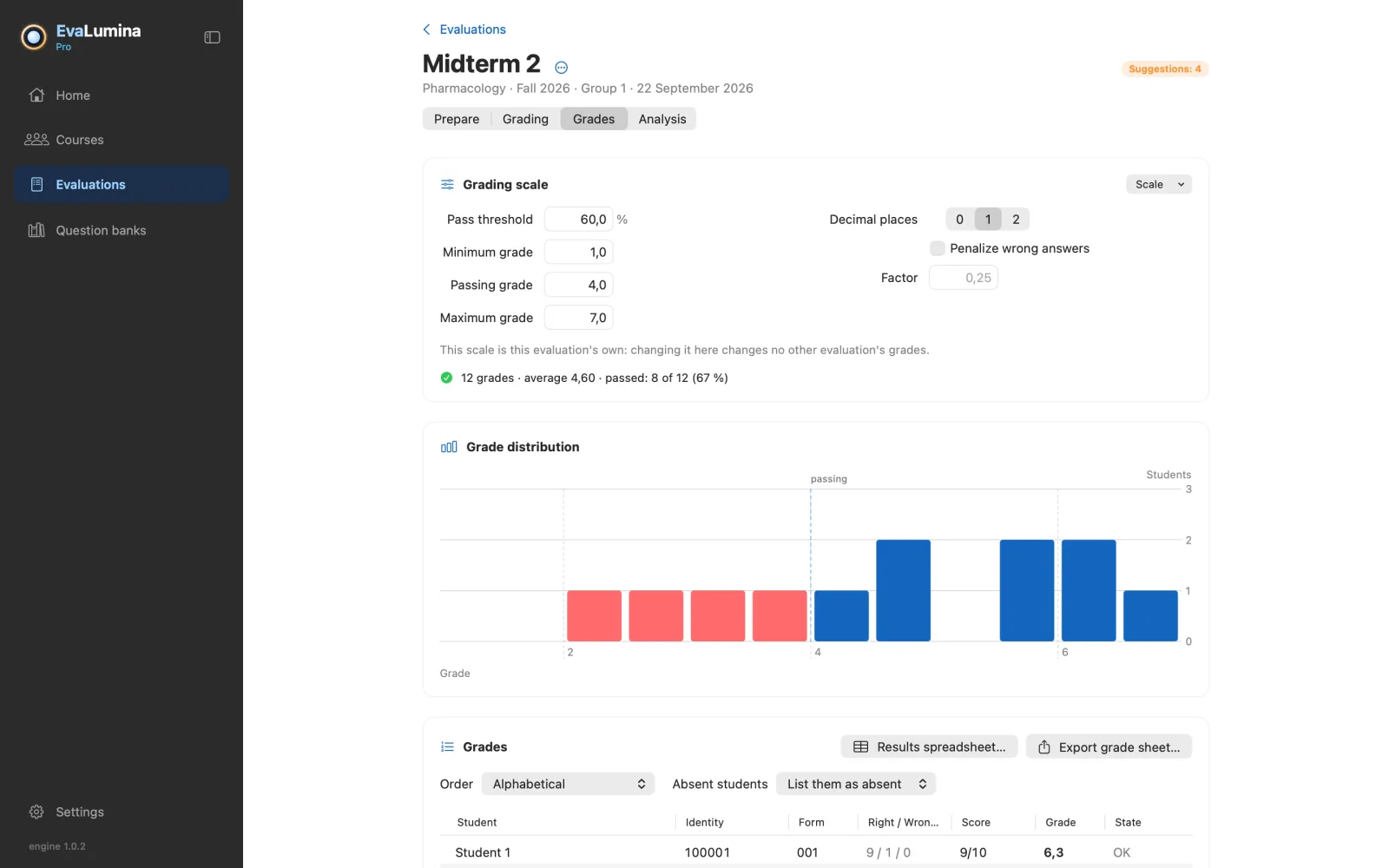
Grades on your own scale

  • Pass threshold, minimum, passing and maximum grade, decimals, and a penalty for wrong answers.
  • Sort by name, class list or score, and export to a spreadsheet for your institution's platform.
  • A badly worded question? Annul it, credit it to everyone or change its key. See which grades change before applying, and undo it afterwards.
An evaluation's grades: scale, distribution and list of students

AnalysisPro

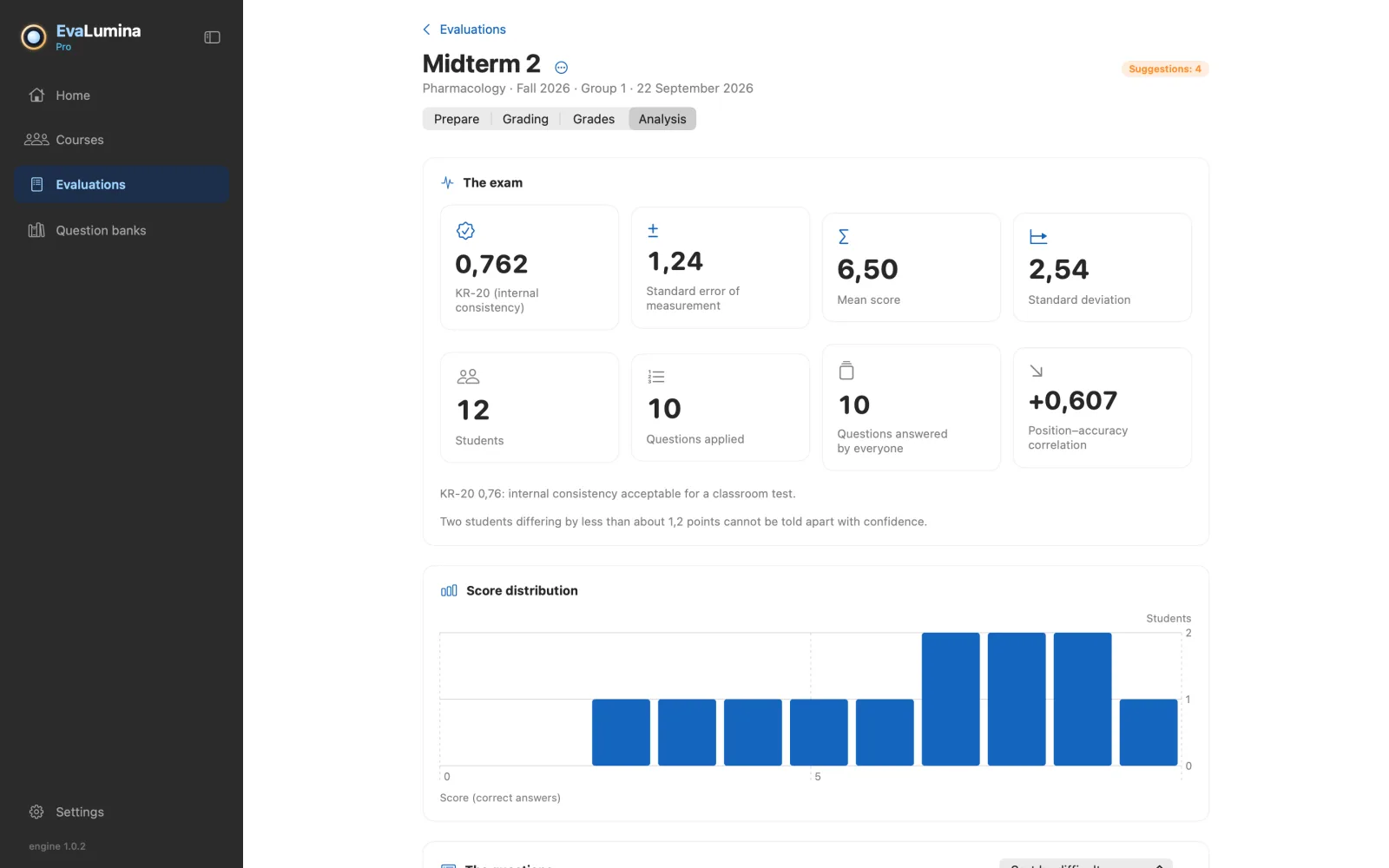
Item analysis from start to finish

  • Quotas by learning outcome, cognitive level or both, when the exam is built.
  • Statistics per bank question and not per position: with shuffled forms, that is the only way they mean something.
  • KR-20, standard error of measurement, difficulty, discrimination, D-27, position effect and how each distractor was chosen, each with a note on what it means.
  • Measured difficulty and discrimination are written back into the bank, so the next exam starts from data.
Item analysis: KR-20, standard error of measurement and score distribution

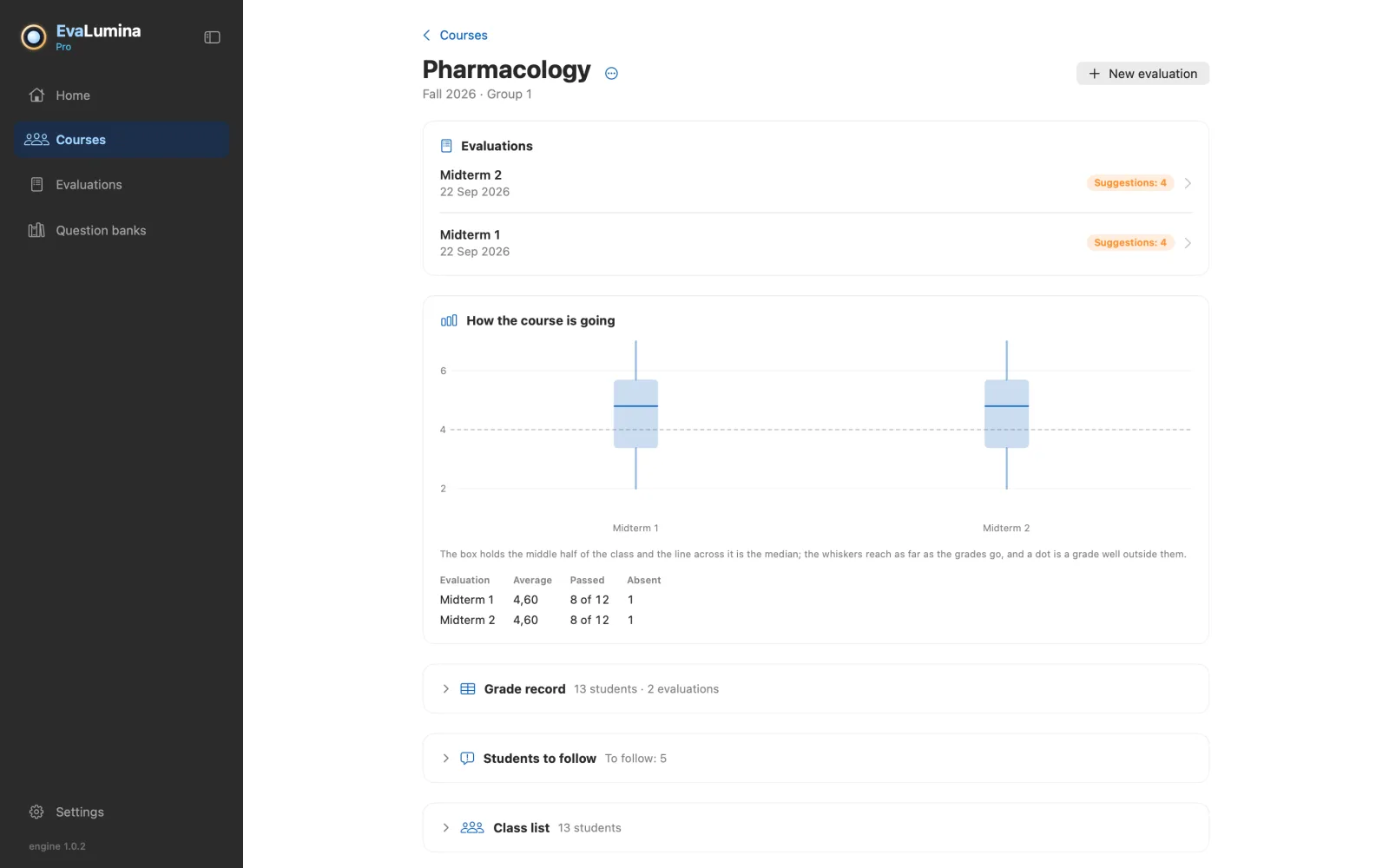
Courses

The class list, once per term

  • Paste the class list from a spreadsheet or import it.
  • A grade record across every evaluation in the course, exportable.
A course with its class list and its evaluations side by side

Try it without printing anything

On Home, Try the sample builds a complete exam with its sheets already scanned, so you can see grading, grades and analysis in a minute.

Three apps, one engine

Mac

The whole cycle: question bank, forms, grading and analysis.

macOS 14 or later · Apple silicon and Intel

Download on the App Store

Windows

The same whole cycle, with the same rules.

Windows 10 (version 2004) or 11 · x64 and ARM64

Download from the Microsoft Store

iPhone · EvaLumina Capture

Photographs and grades the sheets in the room. Free, with no purchases.

The iPad comes afterwards

Download on the App Store