Paper multiple-choice exams

From your question bank
to the grades.

EvaLumina builds a different form for every student from your question bank, reads the scanned sheets and tells you how each question behaved. It runs on your computer and asks for no account.

Preparing an exam in EvaLumina: the number of forms, the question bank and quotas by learning outcome

Copying stops working

One form for every student

  • Questions and alternatives are shuffled, so the right letter changes from one form to the next.
  • Variants of the same concept never land on the same form, and every form adds up to the same score.
  • The answer key is saved encrypted.

The same bank question, in another position and with another right letter on each form.
Question banks

A question editor with everything a bank needs

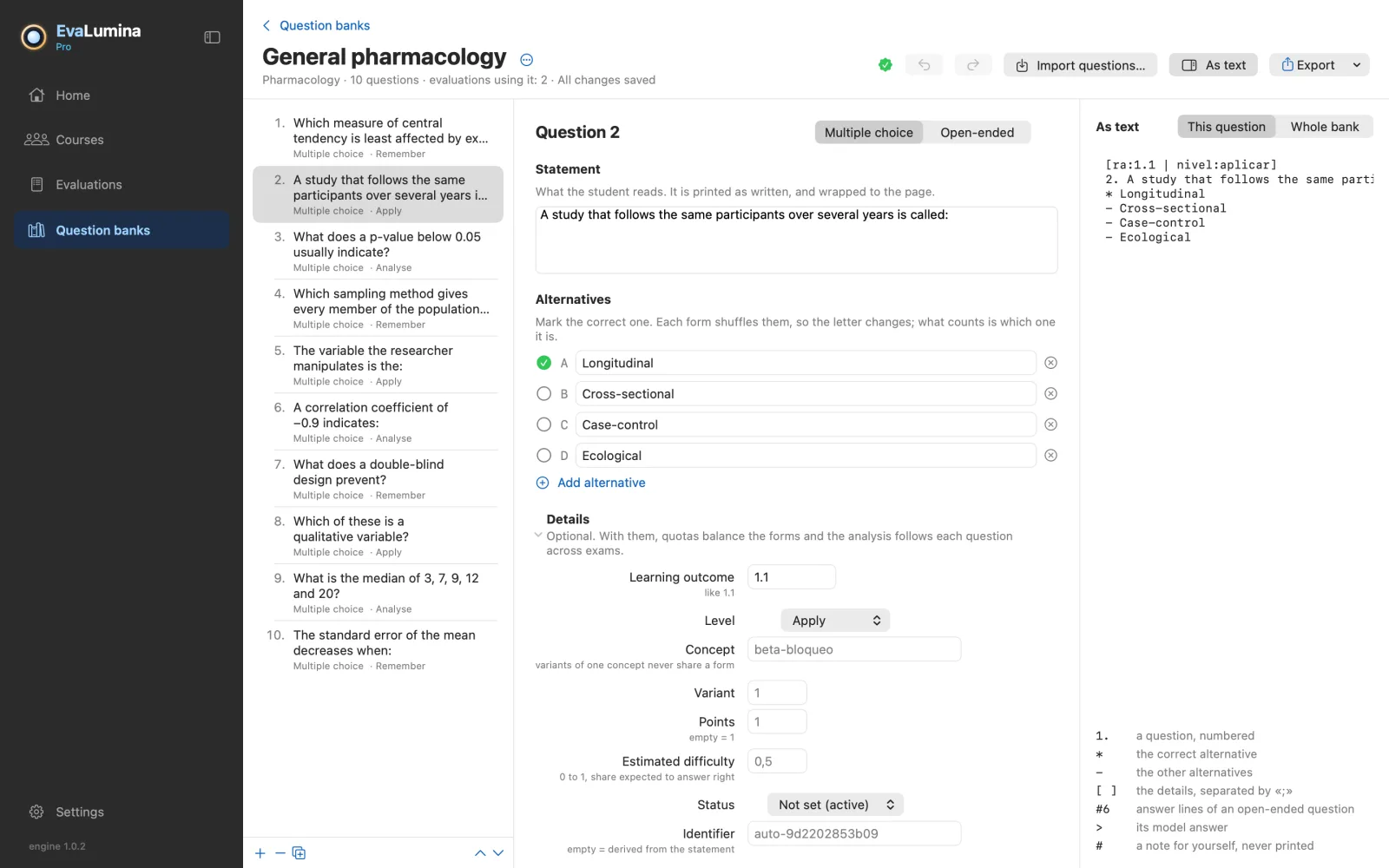
  • Each question as a form, with the same question in the bank's text format beside it.
  • Blocks with a shared case and picture, open-ended questions with a model answer, learning outcome, cognitive level and variants.
  • Every question is checked as you type, by the same reader that later builds the exams.
The question bank editor: the list of questions, one open as a form, and its text format beside it

PsychometricsPro

Item analysis from start to finish

  • Forms balanced by learning outcome and cognitive level.
  • KR-20, difficulty, discrimination and distractors, computed per bank question and not per position.
  • What was measured goes back into the bank, so the next exam starts from data.
QuestionbankExam withquotasGradingItemanalysisBankcalibration
  1. Question bank
  2. Exam with quotas
  3. Grading
  4. Item analysis
  5. Bank calibration
  6. Question bank

See every feature →

EvaLumina Capture · iPhone

On exam day, your iPhone

Prepare the exam on the Mac or on Windows and take the phone to the room. You photograph each answer sheet and the grades are right there, without waiting for the scanner.

  1. Prepare on the computer

    The bank, the forms and the answer key, in EvaLumina for Mac or Windows.

  2. Photograph in the room

    Each sheet is read at once. If one is in doubt, you check it with the paper in hand.

  3. Back to the computer

    The grades go back to their evaluation, for the analysis and the course record.

Free, with no purchases. It works alone for simple exams, and connects with EvaLumina Pro on the computer.

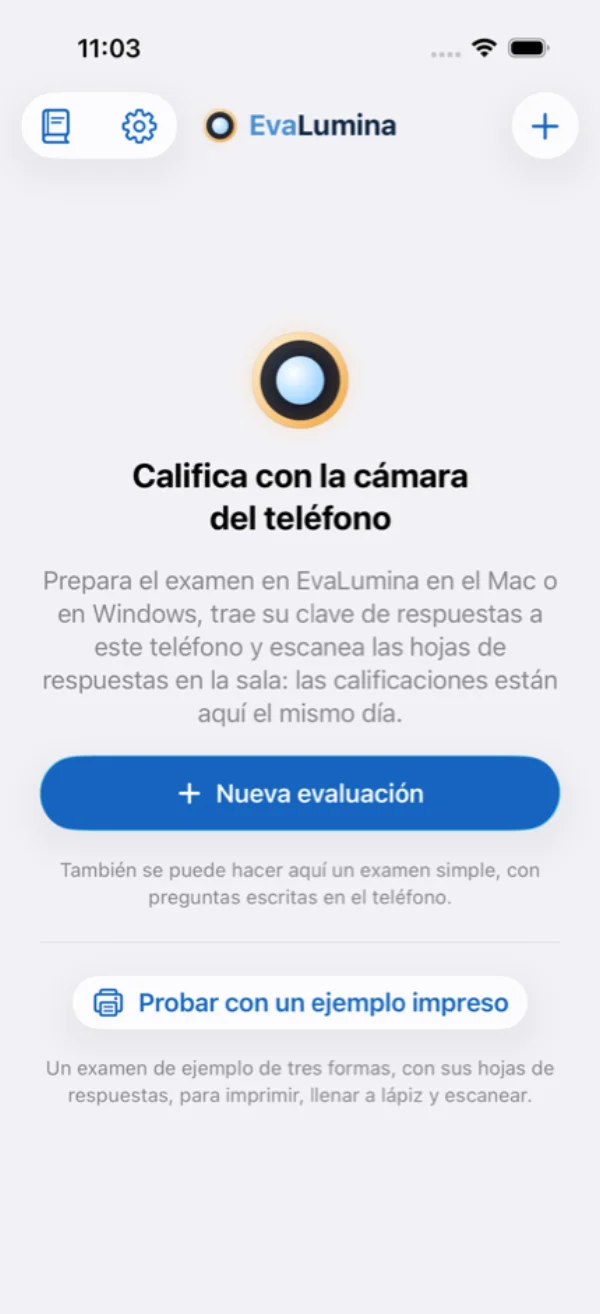
EvaLumina Capture's home: grade with the phone's camera
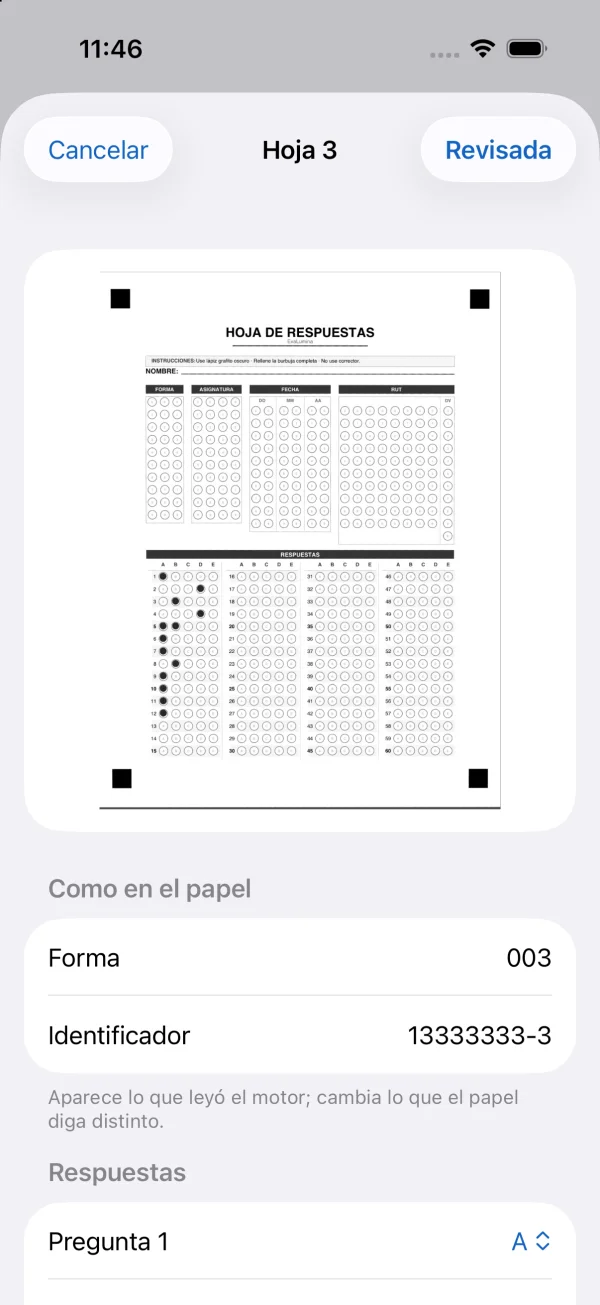
Checking a photographed answer sheet
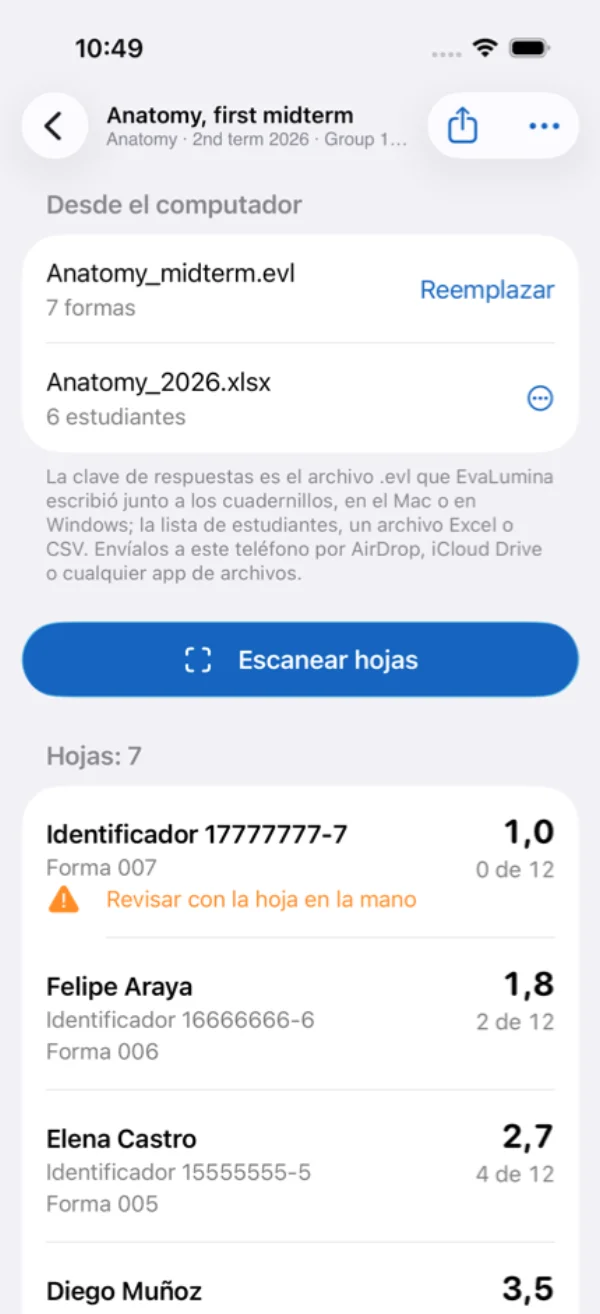
An evaluation on the phone with its grades
Diego Halabi

Made by an academic who needed it

Diego Halabi heads the Department of Dentistry at Universidad Austral de Chile and has spent 12 years assessing large courses. He wrote EvaLumina for his own exams. Then his colleagues wanted to use it, and it grew from there.

The story →

Nothing leaves your computer

No accounts, no advertising, no tracking. Class lists and grades stay with you.

Privacy policy →

Free up to 35 students

Pro removes the limit and adds item analysis. One purchase, no subscription.

Free and Pro →

Three apps, one engine

Mac

The whole cycle: question bank, forms, grading and analysis.

macOS 14 or later · Apple silicon and Intel

Download on the App Store

Windows

The same whole cycle, with the same rules.

Windows 10 (version 2004) or 11 · x64 and ARM64

Download from the Microsoft Store

iPhone · EvaLumina Capture

Photographs and grades the sheets in the room. Free, with no purchases.

The iPad comes afterwards

Download on the App Store